Need some help?
Managing currencies
How do I open a multi-currency wallet?
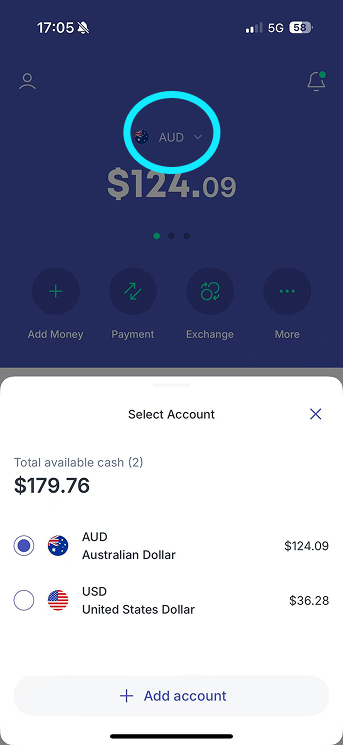
On the home screen, tap the country flag, in the dropdown menu, select "Add account" and you can choose which currency you would like to add in the prepopulated selections. Choose your preferred currency and confirm.
How many currencies does Bolt support?
Bolt currently supports over 30 currencies including AUD, USD, GBP, EUR, NZD, and SGD. This means you can add money to your Bolt account in your preferred currency, provided you've opened a Bolt Multi-Currency account in that currency. Please note that fees and charges may apply for top-ups in currencies other than AUD.